
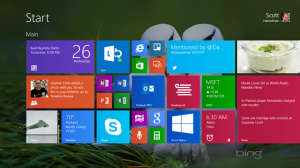
 Windows 8.1 second Basic class, Thursday mornings, 10am – 12 noon . Please email “training at VictoriaComputerClub.org” if you want to register for this course. It will begin when there are ten people registered. Please bring your laptop with Windows 8/8.1 installed (if you have one). Club computers have Windows 7. Students without Window 8 laptops are welcome to view the visual presentation and take notes. Basic topics covered will include: tiles, charms, desktop, apps vs programs. Cost is $4 to members. Watch for updates in the club calendar.




Members


Members photos

Categories
-
Recent Posts
Recent Comments
- David Johnston on Artificial Intelligence: fun and useful tips
- Gord Collins on Three views of backups
Archives
- September 2026
- August 2026
- July 2026
- June 2026
- May 2026
- April 2026
- March 2026
- January 2026
- December 2025
- November 2025
- October 2025
- August 2025
- July 2025
- June 2025
- April 2025
- March 2025
- February 2025
- January 2025
- December 2024
- November 2024
- September 2024
- July 2024
- June 2024
- April 2024
- March 2024
- January 2024
- September 2023
- August 2023
- July 2023
- June 2023
- May 2023
- April 2023
- March 2023
- January 2023
- November 2022
- October 2022
- September 2022
- July 2022
- May 2022
- April 2022
- March 2022
- February 2022
- January 2022
- December 2021
- November 2021
- October 2021
- September 2021
- August 2021
- July 2021
- June 2021
- May 2021
- March 2021
- February 2021
- January 2021
- December 2020
- October 2020
- September 2020
- August 2020
- July 2020
- June 2020
- May 2020
- April 2020
- March 2020
- February 2020
- January 2020
- December 2019
- November 2019
- September 2019
- July 2019
- June 2019
- May 2019
- April 2019
- March 2019
- February 2019
- January 2019
- December 2018
- November 2018
- October 2018
- September 2018
- August 2018
- July 2018
- June 2018
- May 2018
- April 2018
- March 2018
- February 2018
- January 2018
- December 2017
- November 2017
- October 2017
- September 2017
- August 2017
- July 2017
- June 2017
- May 2017
- April 2017
- March 2017
- February 2017
- January 2017
- December 2016
- November 2016
- October 2016
- September 2016
- August 2016
- July 2016
- June 2016
- May 2016
- April 2016
- March 2016
- February 2016
- January 2016
- December 2015
- November 2015
- October 2015
- September 2015
- August 2015
- July 2015
- June 2015
- May 2015
- April 2015
- March 2015
- February 2015
- January 2015
- December 2014
- November 2014
- October 2014
- September 2014
- August 2014
- July 2014
- June 2014
- May 2014
- April 2014
- February 2014